WordPress vs Wix vs Squarespace in 2026: Quick Guide for Non-Technical Teams

It's 4 PM on a Thursday, and your CEO wants to review the new landing page you've been working on for the past 3 weeks.
But there's a problem.
The WordPress plugin you installed yesterday broke the entire header.
Your developer is on vacation. Your agency won't respond until Monday. And you're sitting there, staring at a broken website, wondering why building a simple page has to be this complicated.
If that scenario hits close to home, you're not alone. The choice between WordPress vs Wix vs Squarespace has confused marketing teams for years.
Each platform promises simplicity, but delivers something entirely different depending on who you are and what you're trying to accomplish.
This guide is written for marketing managers, growth leads, and founders who manage websites without a technical background. People who need to ship pages fast, maintain brand consistency, and avoid breaking things.
We'll compare these three platforms, explain what each one actually delivers, and help you figure out which one matches your reality, not your wishlist.
Let's get started.
WordPress
WordPress is an open-source content management system that powers roughly 43% of all websites on the internet.
It's not a traditional "website builder" in the drag-and-drop sense.
Instead, it's a flexible platform that requires hosting, themes, plugins, and regular maintenance to function properly.
Best for: Companies with dedicated technical resources, agencies managing multiple client sites, and teams who need ultimate customization and aren't afraid of complexity.
You can also look into our guide about WordPress vs GoDaddy website builder.
Key features:
- Endless customization through 60,000+ plugins and thousands of themes
- Complete ownership of your code and data
- Strong SEO capabilities when configured correctly
- Large community and extensive documentation
- E-commerce support through WooCommerce
Pricing: WordPress software itself is free, but you'll pay for hosting, premium themes, essential plugins, security services, and likely developer support.
Honest Take: WordPress is powerful but exhausting. It's the right choice if you have technical people who enjoy tinkering, can handle updates and security patches, and won't panic when a plugin breaks your site at 3 AM.
Wix
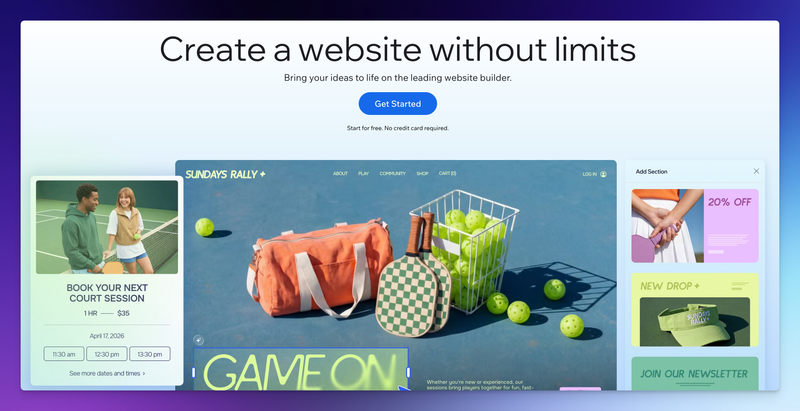
Wix is a fully hosted website builder designed for small businesses and individuals who want complete creative control without touching code. It uses a drag-and-drop editor that lets you position elements anywhere on the page, pixel by pixel.
Best for: Freelancers, small businesses, creative professionals, and anyone building a relatively simple site who values design freedom over structured content management.
Key features:
- An advanced drag-and-drop interface with total positioning freedom
- 2000+ designer-made templates across industries
- Built-in hosting, security, and maintenance included
- App market with 800+ extensions for added functionality
- Decent SEO tools for basic optimization
Pricing: Free plan available with Wix branding and ads. Paid plans range from $17/month (basic website) to $159/month (enterprise e-commerce).
Honest Take: Wix gives you creative freedom, which sounds great until you realize that freedom comes with responsibility. When you can put anything anywhere, you often end up with layouts that look good on desktop but break on mobile. The learning curve is gentler than WordPress, but maintaining consistency across 20+ pages becomes tedious. Wix works beautifully for small, mostly static websites, but it starts showing cracks when marketing teams need to manage frequent content updates, maintain brand guidelines, or coordinate multilingual campaigns. You won't break your site as easily as WordPress, but you'll spend surprising amounts of time manually adjusting layouts.
Squarespace
Squarespace is a premium website builder focused on beautiful design and structured content management. Unlike Wix's freeform approach, Squarespace uses a more guided system with design blocks and predefined layouts that ensure professional results.
Best for: Design-conscious businesses, creative portfolios, boutique e-commerce stores, and teams who want polished results without extensive customization.
Key features:
- Attractive, award-winning templates with modern aesthetics
- Structured content blocks that maintain design consistency
- All-in-one platform including hosting, domains, and SSL
- Strong blogging and basic e-commerce capabilities
- Reliable performance without plugin management
Pricing: Plans start at $19/month (basic) up to $36/month (advanced commerce).
Honest Take: Squarespace is the adult in the room option. It looks professional, rarely breaks, and handles 90% of what small businesses need. The tradeoff is rigidity. You're working within Squarespace's design system, which means less flexibility than Wix and far less than WordPress. For marketing teams, this rigidity is actually helpful because it prevents design disasters. However, Squarespace isn't built for teams that need to publish pages daily, run multiple campaigns simultaneously, or manage content across languages.
JET-CMS: Alternative to WordPress, Wix and Squarespace
Here's what none of the big three want you to know: WordPress, Wix, and Squarespace weren't built for modern marketing teams.
WordPress was created for bloggers in 2003. Wix was designed for small business owners building their first website. Squarespace targets creative professionals who need portfolios.
None of these platforms was architected around the specific workflows of a marketing manager who needs to launch a campaign landing page tomorrow, translate it into three languages by Friday, and update it ten times based on performance data, all without breaking the main website or waiting on anyone else.
This is where specialized platforms like JET-CMS come into play.
JET-CMS isn't trying to be everything to everyone. It's built specifically for marketing teams in mid-sized companies who are tired of platform complexity and agency dependency.
What makes it different
- Safety by design. You literally cannot break your website. The system separates content from structure, so changing text or images is risk-free. No more 4 PM panic attacks.
- Marketing speed. Create and publish landing pages in hours, not weeks. Update content instantly without deployment pipelines or approval chains.
- True independence. No developers required. No agency gatekeepers. Your marketing team controls everything without needing technical skills.
- AI-powered multilingual. Launch campaigns in multiple languages with AI translation that understands context, not just words.
Pricing: Custom pricing based on team size and needs. No plugin costs, no surprise bills.
Honest Take: JET-CMS won't replace your main corporate website if you're a 500-person enterprise with complex requirements. But if you're a marketing team at a 20-50 person company, constantly fighting your current platform, this is worth serious consideration. You're paying for focus: a platform that does fewer things but does the marketing things exceptionally well.
Final Words
The wordpress vs squarespace vs wix debate assumes all three are solving the same problem. They're not. They're solving different problems for different people, and the "right" answer depends entirely on which problem matters most to you.
If you're a marketing professional reading this because you're frustrated with your current setup, ask yourself one question: What percentage of your time do you want to spend managing your website platform versus using it to do actual marketing?
The platforms that dominate market share aren't necessarily the ones that match your needs. Sometimes the right choice is the tool nobody talks about at conferences because it's built for a specific audience (like you) rather than everyone.
Test the options that match your situation. Use free trials. Build a real page, not a demo homepage. See which platform fits how your team actually works, not how they theoretically work in perfect conditions.
And remember: the goal isn't to find the perfect platform. It's to find the platform that gets out of your way so you can focus on the work that actually matters.
Turn your CMS into a growth engine – not a blocker
If every new landing page depends on plugins, developers and workarounds, it’s time to rethink your setup. With JET-CMS, marketing teams launch campaigns, multilingual pages and updates in hours instead of days – without plugin chaos or tech stress.

FAQs
For WordPress, yes. While basic edits are possible without a developer, real-world use almost always requires technical support for plugins, updates, performance, or security. With Wix and Squarespace, you usually don't need a developer for small sites. However, as your site grows, maintaining consistency, layouts, and integrations can become time-consuming for marketing teams.
- WordPress: Fast only if templates, plugins, and workflows are already set up, and usually requires developer help.
- Wix: Fast for one-off pages, slower when maintaining many pages.
- Squarespace: Fast for polished pages, slower for campaign-heavy workflows.
If your job depends on launching pages weekly or updating campaigns daily, general-purpose builders often become bottlenecks. You can try JET-CMS for quick landing page creation.