WordPress vs GoDaddy Website Builder: Which Is Better for Marketing Team in 2026

This comparison usually starts after something small breaks.
- Homepage update that messes up spacing.
- A plugin update that quietly kills a form.
- The campaign landing page that should have taken 30 minutes ends up as a ticket with IT or a three-day wait for an agency.
If you're a marketing manager or content lead, the question isn't "Can this tool build a website?"
It's "Can my team ship changes fast without fear and without dragging developers into every edit?"
That's why teams keep circling back to WordPress vs GoDaddy Website Builder. On paper, both solve the same problem. In practice, they create very different kinds of friction.
This article is for marketing teams who own the website but don't want to babysit it.
Let's get started.
WordPress
Most teams adopt WordPress because it feels like the "safe" choice.
It's everywhere. Every agency knows it. Every problem already has a plugin. If you inherit a site, odds are it's WordPress.
Where WordPress shines is flexibility. You can shape it into almost anything (blog, landing pages, product pages, multilingual sites, SEO-heavy content hubs).
With the right setup, it can perform well and scale.
But here's the part marketing teams rarely hear upfront: WordPress doesn't stay simple.
At first, it's fine. Then you add:
- A page builder
- An SEO plugin
- A caching plugin
- A form plugin
- A security plugin
- A translation plugin
Now every update is a small risk.
Every visual change feels like it might break something.
And someone, usually not marketing, needs to keep the stack healthy.
Real strengths that matter
- Extremely flexible content structures
- Strong SEO tooling (when configured correctly)
- Massive ecosystem and hiring pool
Real limitations teams feel
- Editing content and managing infrastructure are mixed
- Marketing speed slows as the plugin stack grows
- "Just a small change" often isn't small anymore
WordPress works, but it quietly pulls marketing teams into technical ownership they never asked for.
You can also look into our recent guides about the best WordPress alternatives.
GoDaddy Website Builder
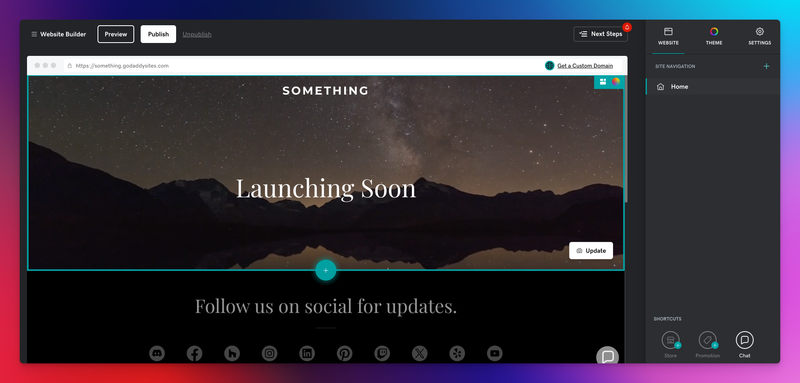
GoDaddy Website Builder usually comes into play when teams are tired of complexity.
You log in, pick a template, change text, and publish. No plugins. No updates. No decisions about hosting or performance. For small teams, that feels like relief.
And for certain use cases, it is.
GoDaddy works well for:
- Simple marketing sites
- Local or service-based businesses
- Teams that want zero setup or maintenance
But that simplicity comes with hard limits.
As soon as your site becomes more than a brochure, campaigns, SEO experiments, structured landing pages, and localization, the walls show up fast.
- You can't safely separate layout from content.
- You can't design repeatable campaign systems.
- You can't scale workflows, only pages.
Where GoDaddy genuinely helps
- Fast initial setup
- Almost no learning curve
- No technical maintenance
Where teams hit friction
- Limited customization beyond templates
- SEO and performance controls are shallow
- Marketing growth means rebuilding, not iterating
GoDaddy doesn't break, but it also doesn't stretch.
Choosing Between WordPress and GoDaddy
Most teams don't choose WordPress or GoDaddy. They end up with one.
WordPress makes sense when:
You already have developer support, or you're willing to accept ongoing complexity in exchange for flexibility. It's powerful, but marketing teams pay for that power with coordination overhead.
GoDaddy makes sense when:
The site is small, stable, and unlikely to grow much. It's calm and predictable, until marketing needs outgrow the template.
The hidden cost with WordPress isn't money. It's attention. Someone must constantly think about updates, conflicts, performance, and risk.
The hidden cost with GoDaddy is momentum. When growth starts, the platform can't keep up, and migration becomes unavoidable.
That's the uncomfortable middle that most marketing teams sit in.
JET-CMS: WordPress and GoDaddy Alternative
This is where JET-CMS enters, usually after a team has lived with both extremes.
There's a real gap between:
- WordPress: powerful but weak for marketers
- GoDaddy: safe but restrictive for growth
Marketing teams don't want more features.
They want a safer speed.
JET-CMS is built around a different idea:
Marketing should only change content, never structure.
Layouts are locked. Branding is enforced. Components are pre-defined.
Marketers update text, images, campaigns, and languages, without touching the foundation.
That single separation changes everything:
- No fear of breaking layouts
- No plugin chains
- No agency dependency for every campaign
JET-CMS isn't trying to replace WordPress flexibility or GoDaddy simplicity.
It removes the trade-off entirely.
Why teams switch
- Changes are fast because you edit data, not pages
- SEO and performance are defaults, not plugins
- Marketing teams work independently and safely
It feels less like "managing a website" and more like running a campaign system.
Final Words
Choose WordPress if your team accepts technical complexity as the price of flexibility, and you have reliable developer support.
Choose GoDaddy Website Builder if your site is unlikely to grow beyond a simple presence and you value ease over growth.
JET-CMS exists for teams in between, Marketing teams that ship often, care about performance and SEO, and want control without risk.
It's not a better website builder. It's a better workflow for modern marketing teams who are done waiting, fixing, and worrying.
Turn your CMS into a growth engine – not a blocker
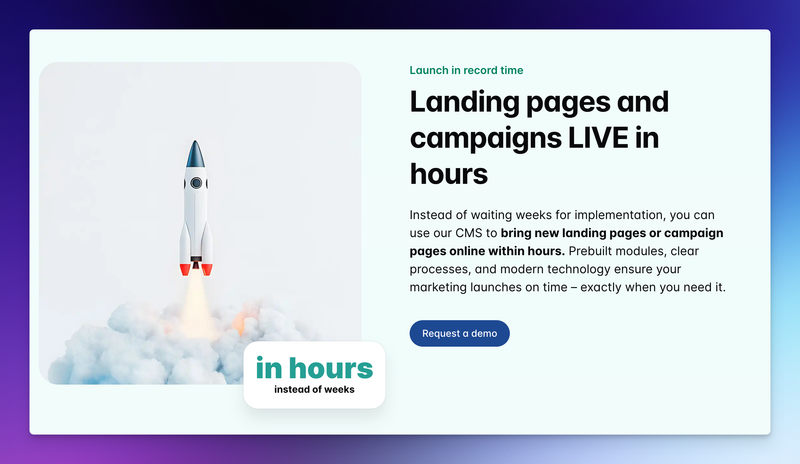
If every new landing page depends on plugins, developers and workarounds, it’s time to rethink your setup. With JET-CMS, marketing teams launch campaigns, multilingual pages and updates in hours instead of days – without plugin chaos or tech stress.

FAQs
It covers basic SEO needs, but it's limiting once you want deeper control, structured content, or long-term search growth.
They can, but independence decreases over time as plugins, performance, and maintenance pile up.
Most teams end up rebuilding their site elsewhere because scaling usually means starting over, not extending.