WordPress vs Framer (2026): Which Platform is Best for Your Website?

Nobody puts "manages the website" in the job description.
But at some point, usually right before a campaign deadline, it ends up on your plate anyway. No training. No manual.
Just login credentials, a vague "it should be straightforward," and the quiet understanding that if something breaks, that is now your problem.
That is the setup. Here is the loop it creates: you avoid touching the site unless you absolutely have to.
When you do have to say, a campaign deadline is 48 hours out, and you need to change a single headline, you hold your breath, make the edit, and pray.
Sometimes it works. Sometimes you are spending the next three hours on hold with an agency that charges by the hour to do what should have taken five minutes.
The platform debate between WordPress and Framer rarely accounts for this person.
Developers write most comparisons for developers. This one is not.
It is written for the marketer who is judged on campaign performance, not on code quality, yet still ends up managing both.
We will walk through what each platform actually demands of users, where each genuinely shines, and why, for a growing segment of marketing teams, neither is the right answer.
What "The Right Platform" Actually Means for a Marketing Team
Most platform comparisons are written for developers. They compare REST APIs, plugin architectures, and render pipelines. That is useful if you write code for a living. It is completely useless if your job is to ship campaigns and grow revenue.
For non-technical marketing teams, the right platform comes down to four things:
- Can I make content changes without fear of breaking something?
- How long does it take to go from idea to published page?
- Will it still perform well as traffic spikes during a campaign?
- How much does it actually cost, including hidden time and maintenance costs?
Keep those four questions in mind as we walk through each platform.
The Platforms: WordPress vs Framer (and One More Worth Knowing)
WordPress
WordPress is open-source content management software that powers roughly 43% of all websites on the internet.
You install it on a hosting server, add themes and plugins to extend its functionality, and manage content through a web-based dashboard.
It is the most established CMS in the world and one of the most demanding to maintain.
Best For:
Large content operations, media publishers, blogs with hundreds of posts, complex e-commerce stores using WooCommerce, and organizations with a dedicated developer or agency managing the technical stack.
Key Features:
- Massive plugin library (60,000+) covering SEO, forms, e-commerce, analytics, and more
- SEO capabilities in WordPress are strong when configured with tools like Yoast or RankMath
- WordPress marketing plugins include page builders, A/B testing, lead capture, and CRM integrations
- Full ownership of code and data, host anywhere you want
- WordPress is written in PHP, meaning a large global developer pool for custom work
- Content marketing with WordPress is well-supported through mature editorial workflows and custom post types
Pricing:
WordPress software is free. Real costs: managed hosting runs $25–$60/month, premium themes cost $60–$200/year, and common plugins for SEO, security, caching, and backups add several hundred dollars annually. Factor in developer time or an agency retainer, and the true monthly cost climbs fast.
Honest Take:
WordPress is the most powerful option in this list and the most punishing if you lack technical support.
The plugin ecosystem is both its greatest strength and its most common failure point. Plugins conflict with each other. Updates break layouts.
Security patches come weekly. For a marketing team running without IT support, WordPress is often less a tool and more a maintenance burden dressed up as flexibility.
It is genuinely excellent when managed by someone who knows what they are doing. That person just rarely sits on the marketing team.
You can also take a look at our guide on why marketing teams break WordPress.
Framer
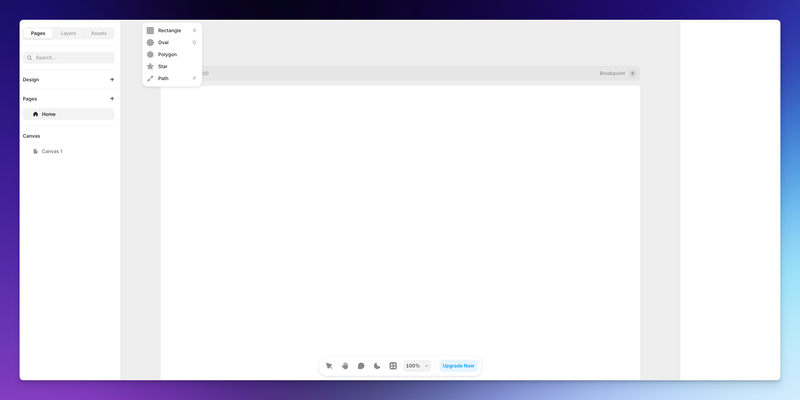
Framer is a modern visual website builder that evolved from a design prototyping tool. It operates on a Figma-like canvas, allowing designers to build and publish production websites directly from their design workflow. Hosting, CDN, SSL, and performance optimization are all included.
Best For:
Design-driven agencies, freelancers, and creative teams building marketing websites on Framer, where visual polish and fast launch timelines matter more than deep content management or e-commerce complexity.
Key Features:
- Figma-like drag-and-drop canvas for creative designers
- Built-in hosting, CDN, and SSL with no server management required
- Server-side rendering and image optimization deliver strong Lighthouse scores out of the box
- Real-time collaboration, multiple team members can edit simultaneously
- Built-in basic CMS for collections, tags, and authors
- Framer to WordPress migration is possible, but technically complex, with no clean direct export path
Pricing:
Framer's paid plans start around $10–$30/month for basic sites, scaling upward for more CMS items, custom domains, and team collaboration. The headline price looks low; growth-stage teams often find themselves pushed into higher tiers as content volume increases.
Honest Take
Framer is genuinely impressive for designers and agencies who live in Figma and want to ship fast.
The design output is polished, performance is strong, and you skip the entire headache of hosting setup.
However, it is built for people who think visually in a canvas interface, not for a marketing manager who needs to swap out a hero headline and push it live in ten minutes.
Non-designers often find the interface disorienting.
The CMS is also lightweight by WordPress standards.
And once you build in Framer, migrating out is not straightforward. You are locked into their hosting environment.
JET-CMS
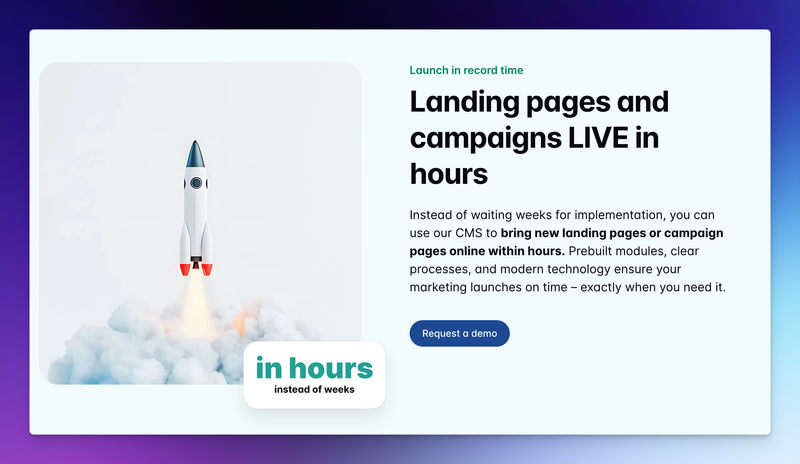
Unlike WordPress or Framer, JET-CMS was not designed to serve every use case. It was designed to solve one specific, painful problem: letting a non-technical marketing team make safe, fast content changes without ever touching code or calling a developer.
Best For:
Marketing managers, content leads, and growth teams at companies that need to publish and update landing pages and campaign content independently without IT, without an agency, and without fear of breaking things.
Key Features:
- Content editing is limited to text and images; the structural design is locked, so nothing can break accidentally
- AI-powered multilingual publishing: translate and publish campaigns in hours rather than weeks
- Custom corporate branding baked into every page stays on-brand by default
- Hosted on Vercel with dedicated servers per customer, fast load times, and high availability during traffic spikes
- Zero maintenance: no plugin updates, no security patches, no server management
- SEO optimization is built into the infrastructure, not dependent on plugin configuration
Pricing:
Pricing is customized based on team size and requirements. Because JET-CMS eliminates agency dependency and developer time for routine updates, most teams find the total cost of ownership significantly lower than maintaining a full WordPress or Framer setup with ongoing external support.
Honest Take:
JET-CMS is not trying to be the most powerful platform in the room.
It is trying to be the most useful one for a specific, underserved person: the marketing professional who has been handed a website to manage but has no technical background and no desire to acquire one.
The deliberate limitation, that you can only change content, not structure, is actually the feature. You cannot break anything because there is nothing architectural to touch accidentally.
Final Words
The platform debate tends to focus on capabilities. But for most marketing teams, the bottleneck is not capability; it is confidence.
The ability to make a change at 4 pm on a Friday without calling anyone, without worrying about breaking the mobile layout, and without waiting until Monday for approval from someone technical.
WordPress is powerful. Framer is polished. Neither was built with that specific person in mind, the marketing manager who is responsible for the website, but never asked to be its system administrator.
Whatever platform you choose, test it with your actual workflow, not a demo scenario.
Can the least technically proficient person on my team update a landing page safely? How long does it take? What happens if something goes wrong? The answers will tell you more than any feature comparison ever could.
Turn your CMS into a growth engine – not a blocker
If every new landing page depends on plugins, developers and workarounds, it’s time to rethink your setup. With JET-CMS, marketing teams launch campaigns, multilingual pages and updates in hours instead of days – without plugin chaos or tech stress.

FAQs
Yes, but neither direction is clean. Framer does not offer code export, which complicates moving your design work out. Migrating a WordPress blog to Framer requires reformatting the content, as Framer's CSV import does not support WordPress markup natively. Both migrations typically require developer time or a specialist migration service.
Both WordPress and Framer can be challenging for non-technical users needing quick content updates. WordPress is complex with heavy page builders, while Framer requires design skills. For teams focused on easily updating text and images without technical knowledge, platforms like JET-CMS are more effective than these general-purpose tools.