Create Landing Pages Without an Agency: A Guide for Marketing Teams

Your team just locked down a new campaign. The brief is ready, the copy is written, and the offer is strong.
Then someone asks, "Who's building the page?" And just like that, the energy in the room drops.
You email the agency.
They respond three days later with a timeline: two to three weeks, plus a revision round. The campaign window has already narrowed by the time you even get a quote.
This is the reality for most marketing teams at mid-sized companies.
You're responsible for the website, you're judged on campaign performance, but you're completely dependent on people outside your team actually to publish anything.
This guide is for marketing managers, heads of growth, content leads, and founders wearing a marketer hat who want to break that cycle.
We'll walk through why the agency dependency model is breaking down, which tools let you create landing pages without an agency, and how to pick the right one for your team's actual situation.
No fluff. No hype. Just an honest breakdown.
Why Marketing Teams Are Done Waiting on Agencies
For years, the standard setup looked like this: marketing handles strategy and copy, developers or agencies handle execution.
It made sense when websites were complex, bespoke builds that genuinely required engineering time.
But landing pages aren't that.
A campaign page includes text, images, a form, and a call to action.
The technical lift is low. The business urgency is high. And yet most marketing teams still can't publish one without filing a ticket or writing an email to someone outside their company.
The cost isn't just money. The real cost is time-to-market. Every week you wait is a week your campaign isn't running, your ads are sending traffic nowhere, and your competitors are testing while you're still in a Slack thread asking for an ETA.
Marketing team independence isn't a nice-to-have anymore. It's a competitive advantage.
What "Creating Landing Pages Without an Agency" Actually Means
It means your marketing team, without coding knowledge, without IT support, without waiting on an external vendor, can build, edit, and publish a high-performing landing page on your own schedule.
That doesn't mean you need to become a developer. It means the tools you use need to be built for people who aren't.
Here's what that looks like in practice:
- You can change a headline without worrying about breaking the page layout
- You can duplicate a page, swap the content, and launch a new campaign version in hours
- You can add a form, update a CTA, or swap an image without touching a line of code
- You don't need to send anything to anyone for approval before you hit publish
The right no-code CMS for marketers makes all of this possible. The wrong one adds another layer of frustration to the shipping process.
The Best Tools to Create Landing Pages Without an Agency in 2026
We evaluated these tools based on ease of use for non-technical marketers, time-to-publish, SEO capabilities, pricing transparency, and reliability under real campaign conditions. Here's the honest rundown.
JET-CMS
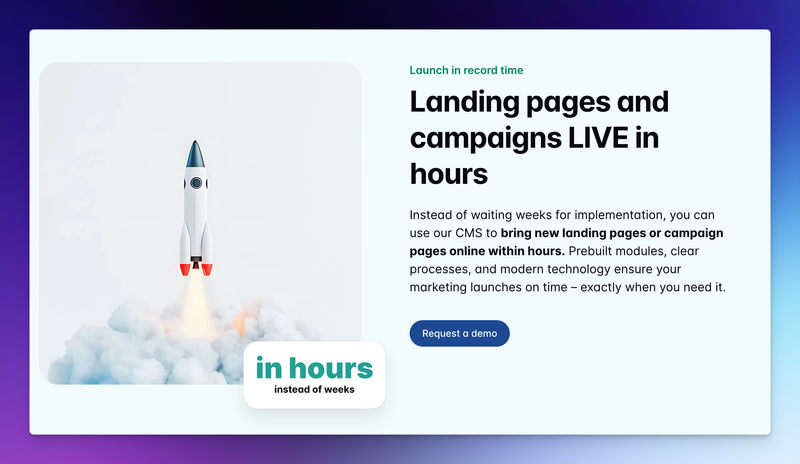
JET-CMS is a content management system built specifically for marketing teams who need to publish landing pages fast without touching code, without involving IT, and without depending on an external agency.
It separates content from design, meaning you edit text and images through a clean interface while the layout stays locked and brand-consistent.
You can't accidentally break the page because the structure isn't editable by default.
Best for: Mid-sized B2B and SaaS companies with in-house marketing teams who are currently stuck in agency dependency cycles or frustrated with platforms like WordPress or Webflow.
Key features:
- Safe, no-risk content editing, text and images only, layout stays intact
- AI-powered multilingual publishing, translate and publish pages in hours, not weeks
- Custom corporate branding baked into templates
- Maintenance-free: no plugin updates, no security patches to manage
- Built-in SEO optimization on every page
Pricing: Custom pricing based on company size and scope. No freemium tier. Positioned as a professional tool for teams with real website responsibility.
Honest Take:
JET-CMS is not for hobbyists or solo freelancers. It's for marketing teams at companies who are tired of the agency model and need a system that empowers them without making them anxious.
Webflow
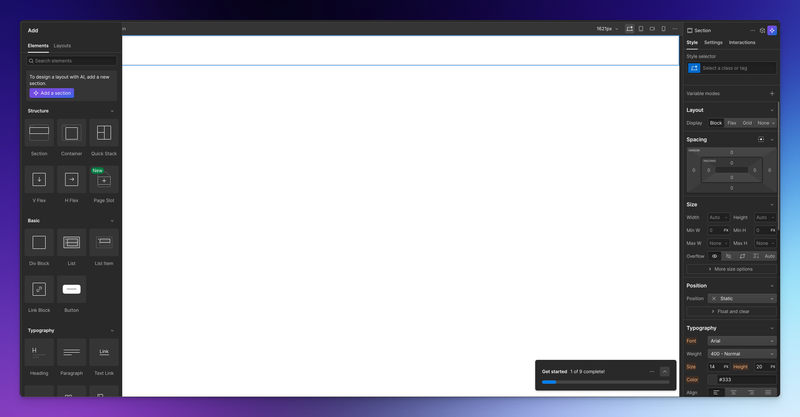
Webflow is a visual web design and CMS platform that lets users build custom websites and landing pages without writing code. It's powerful and flexible, with a design canvas that mimics the look of professional design software.
Best for: Teams with some design literacy or a dedicated front-end resource who want full design control without hiring developers.
Key features:
- Visual drag-and-drop editor with pixel-level control
- CMS collections for structured, repeatable content
- Built-in hosting with CDN
- Native form handling and integrations
- SEO controls at the page level
Pricing: Starts at $14/month for basic sites. CMS and business plans range from $23 to $39/month. Workspace plans for teams start higher.
Honest Take:
Webflow is genuinely impressive, but it has a deep learning curve. Many marketing teams start with enthusiasm and end up dependent on a Webflow-specialist freelancer anyway. If your team doesn't have someone who enjoys learning design tools, it becomes yet another system nobody wants to touch. Great tool. It's a poor fit for many of the people who buy it.
Unbounce
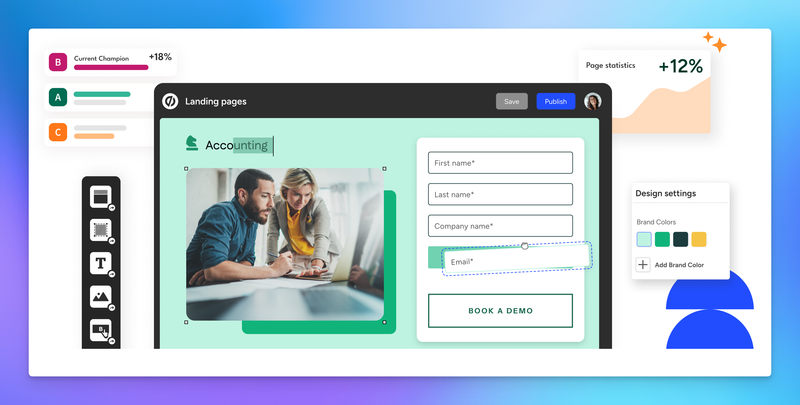
Unbounce is a dedicated landing page builder focused on conversion optimization. It includes AI-powered features such as Smart Traffic, which automatically routes visitors to the highest-performing variant.
Best for: Performance marketers running high-volume paid campaigns who need fast A/B testing and conversion-focused templates.
Key features:
- 100+ landing page templates optimized for conversions
- Smart Traffic AI routing between variants
- Drag-and-drop builder with no coding required
- Integrates with Google Ads, HubSpot, Salesforce, and more
- Built-in A/B testing
Pricing: Starts at $29/month (Starter plan). Higher tiers for more conversions and features.
Honest Take:
Unbounce is excellent at what it does, but it's expensive relative to what you get if you're not running significant paid traffic volumes. The per-conversion pricing model can also create budget anxiety as your campaigns scale. If paid acquisition is your primary channel and you need real optimization infrastructure, it's worth the cost. Otherwise, it may be more than you need.
Framer
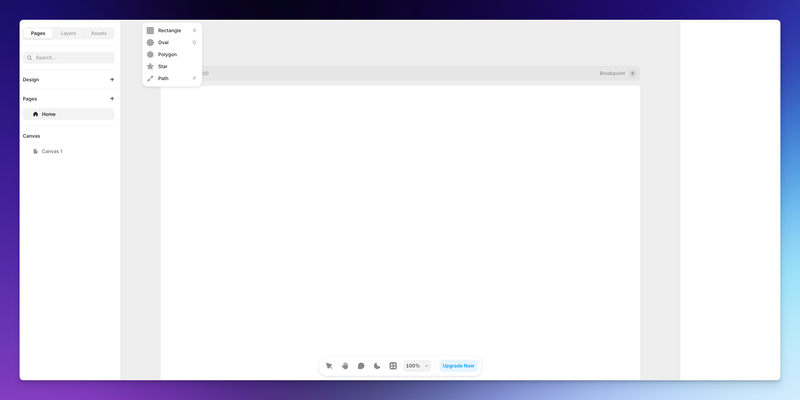
Framer is a design-to-website platform that's become popular among startups and product teams for its polished output and CMS capabilities. It's strong on aesthetics and interactive animations.
Best for: Design-forward companies where visual quality is a primary concern, and someone on the team has a design background.
Key features:
- Component-based design system
- CMS for blog and dynamic content
- Fast publish and custom domain support
- Strong animation and interaction capabilities
- Growing template ecosystem
Pricing: Free plan available. Paid plans from $10–$30/month for sites. Team and CMS features add cost.
Honest Take:
Framer produces beautiful sites. But like Webflow, it rewards design skill. If you're a marketer without a design eye, working in Framer can feel confusing. It's also not optimized for campaign velocity. It's optimized for design quality. That's a different priority than most marketing teams under campaign pressure actually have.
WordPress
WordPress remains the world's most widely used CMS, and Elementor is the most popular page builder plugin for it. Together, they give marketers significant flexibility to build and edit pages without writing code.
Best for: Teams already running on WordPress who want a faster editorial workflow without migrating to another platform.
Key features:
- Massive template library
- Full design control via drag-and-drop
- Large ecosystem of plugins for forms, SEO, analytics, and more
- Huge community and documentation
Pricing: WordPress is free. Elementor Essential starts at $60/year. Hosting costs vary depending on the provider.
Honest Take:
WordPress with Elementor is powerful, but "powerful" is not the same as "manageable."
This combination is responsible for a significant share of broken pages, plugin conflicts, and security vulnerabilities that non-technical marketing teams have no idea how to fix.
If you've ever had a WordPress update break your site on a Friday before a campaign launch, you know exactly what we mean.
It's still useful, especially if you're already on it, but don't underestimate the maintenance burden.
You can also take a look at our guide about WordPress alternatives.
Final Words
The goal isn't to become a developer. The goal is to stop being blocked by the absence of one.
Marketing teams that publish landing pages fast don't necessarily use the most sophisticated tools. They use tools that match their actual skill level, removing the friction between having an idea and putting it in front of an audience.
The agency model made sense for a different era of web complexity.
For landing pages, it's mostly overhead in money, in time, and in creative momentum.
Start small. Pick one campaign. Build the page yourself. Measure the result. Iterate. The confidence that comes from shipping your own work is something no agency can give you.
Turn your CMS into a growth engine – not a blocker
If every new landing page depends on plugins, developers and workarounds, it’s time to rethink your setup. With JET-CMS, marketing teams launch campaigns, multilingual pages and updates in hours instead of days – without plugin chaos or tech stress.

FAQs
Yes. But only if you choose a tool built for non-technical users. Platforms like JET-CMS are specifically designed so marketers can edit content without touching any code or risking layout damage. The key is choosing a tool that protects you from your own mistakes, not just one that claims to be easy.
On platforms like WordPress, breaking something can mean your page disappears or displays incorrectly, and you may not know how to fix it. Tools that lock the layout and allow only content edits (like JET-CMS) prevent this entirely. If that fear is real for your team, it should heavily influence your tool choice.
With a tool properly set up for your brand, a straightforward campaign page, headline, subheadline, body copy, form, and CTA, a non-technical marketer should be able to complete this in 2 to 4 hours. If it's taking days, the tool is the problem, not you.