WordPress vs Webflow: Which One Is Better for Marketing Teams?

Your team needs to launch a new landing page for a campaign that goes live next week. The copy is ready, the design looks good, and leadership wants it published "today if possible." Then reality hits.
Someone says, "We need to ask the agency." Someone else worries, "What if we break the site?" And suddenly, a one-day task turns into a two-week delay.
This is exactly where the WordPress vs Webflow debate shows up for marketing teams.
This guide is for people:
- Who owns the website but doesn't write code
- Who are judged on speed and results, not technical wizardry.
- Who are tired of feeling like their tools work against them instead of for them.
We'll break down WordPress vs Webflow without the sales pitch. You'll learn what each platform actually does, where they excel, where they fail, and how to choose based on your team's reality, not a feature checklist written by engineers.
Let's get started.
WordPress vs Webflow and Why Does It Matter?
At its core, this debate is about control versus complexity.
WordPress is an open-source content management system that powers over 43% of the web. It's been around since 2003, which means it's extremely flexible but also carries decades of technical debt.
Webflow is a visual website builder launched in 2013 that promises design freedom without code, but comes with its own set of tradeoffs.
Here's why this decision matters more than ever in 2026:
- Speed is currency: Your competitors ship landing pages in hours, not weeks. If your platform slows you down, you lose.
- Technical debt is expensive: Every plugin, every theme update, every custom hack creates future maintenance costs.
- User experience directly impacts revenue: Page speed, mobile performance, and uptime aren't technical metrics, they're business metrics.
- Independence matters: Relying on agencies or developers for every small change creates bottlenecks that kill momentum.
Most marketing teams face a specific set of pain points. They need to move fast, but can't afford to break things.
They need professional results, but don't have experienced developers.
They need flexibility but also stability. Understanding which platform addresses your specific constraints matters far more than comparing feature lists.
WordPress vs Webflow: The Real Comparison for Marketing Teams
Let's cut through the noise. Here's what each platform actually offers when you're the one responsible for keeping the website running.
WordPress: The Flexible Giant with Hidden Costs
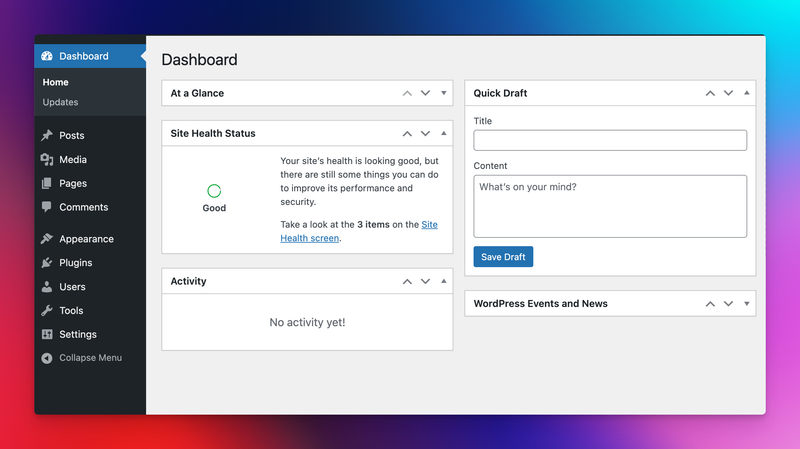
WordPress is an open-source CMS that runs on your own hosting. You install it, choose a theme, add plugins for functionality, and build from there.
It's incredibly flexible because thousands of developers create extensions for it.
But that flexibility comes with complexity. You're managing a software stack, not just a website.
Best for: Teams with developer access, complex content operations, and the budget to maintain technical infrastructure. Also ideal if you need specific integrations or custom functionality that requires code-level control.
Key features:
- Unlimited design control through themes and custom code
- 60,000+ plugins for almost any functionality imaginable
- Full ownership of your data and hosting environment
- Strong blogging and content management capabilities
- Massive community and documentation resources
- E-commerce through WooCommerce (also complex)
Pricing:
WordPress software itself is free. Real costs come from hosting, premium themes, paid plugins, security tools, backups, and ongoing maintenance.
Quick Thoughts:
WordPress can do almost anything, but rarely in a simple way. For marketing teams, the constant plugin decisions, updates, and risk of conflicts often create fear around making changes. It's powerful, but operationally heavy.
You can also read our curated list of WordPress alternatives.
Webflow: The Visual Builder with a Learning Curve
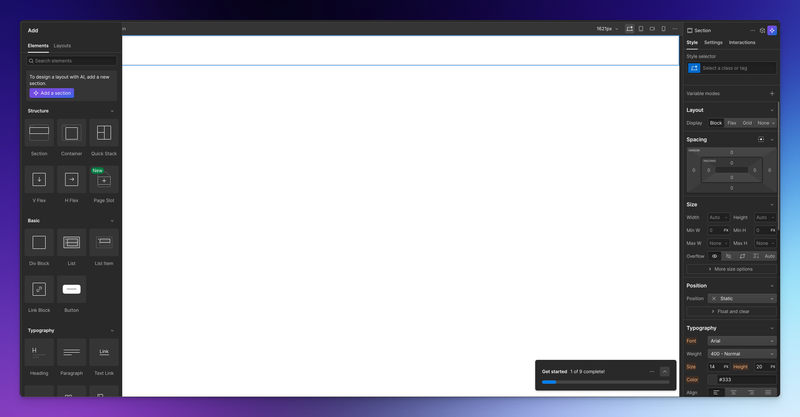
Webflow is a cloud-based visual website builder that generates clean code as you design.
Think of it as a design tool that outputs production websites.
You don't install anything. You design in their interface, publish to their hosting (or export code), and manage everything from one dashboard.
It appeals to designers who want control without writing design code from scratch.
Best for: Small to mid-size marketing teams who value design control and don't want to manage technical infrastructure. Best when you have someone with design sensibility who can invest time learning the tool. Also strong for teams launching multiple landing pages quickly.
Key features:
- Visual design interface with responsive controls
- Built-in hosting with CDN and SSL included
- No plugin management or software updates
- Native CMS for blog and dynamic content
- Animation and interaction capabilities without JavaScript
- Built-in SEO and performance optimization
Pricing:
Webflow uses a subscription model, typically charging per site and per editor, with hosting included.
- The starter plan is free
- Basic: $14/mo
- CMS: $23/mo
- Business: $39/mo
Quick Thoughts:
Webflow feels cleaner and more predictable than WordPress, but it has its own learning curve. It reduces plugin chaos, but teams can still feel blocked if they don't understand the basics of layout and structure.
JET-CMS: A WordPress and Webflow Alternative

For many marketing teams, the WordPress vs Webflow discussion still misses a core reality:
Most teams don't actually want more control. They want less risk, fewer decisions, and faster publishing.
This is where JET-CMS distinguishes itself.
JET-CMS is not a visual page builder and not a plugin-based CMS. It's a marketing-first content system designed around a simple idea:
Marketing teams should only edit content, not infrastructure, layouts, or technical settings.
Instead of giving editors full freedom to change designs (and potentially break them), JET-CMS separates content from structure. The design system, performance setup, and SEO foundations are predefined and locked. Marketers work safely inside those boundaries.
What problem does JET-CMS solve?
Most teams using WordPress or Webflow face the same issues over time:
- Fear of breaking layouts when editing pages
- Dependency on agencies for small changes
- Slow campaign launches due to approvals and fixes
- Plugin updates or platform changes causing instability
- SEO and performance becoming "someone else's problem."
JET-CMS is built specifically to remove these friction points rather than manage them better.
Final Words
Exhausted by WordPress maintenance, and your team lacks technical resources, Webflow probably solves more problems than it creates.
If you need custom functionality, have developer support, and want complete control, WordPress remains the most powerful choice. Just be honest about whether you'll actually use that power or if it'll sit unused while you struggle with basic updates.
When your primary pain points are campaign velocity and technical dependency bottlenecks, specialized platforms like JET-CMS deserve consideration. They won't replace your entire web presence, but they might eliminate the friction that's actually slowing you down.
Turn your CMS into a growth engine – not a blocker
If every new landing page depends on plugins, developers and workarounds, it’s time to rethink your setup. With JET-CMS, marketing teams launch campaigns, multilingual pages and updates in hours instead of days – without plugin chaos or tech stress.

FAQs
It depends on how your team works. Webflow is often easier for visual changes and reduces plugin complexity, but it still requires understanding layouts and structure. WordPress is more flexible, but that flexibility usually comes with higher maintenance and greater dependence on technical support.
From a pure capability standpoint, both perform well. WordPress relies heavily on SEO plugins, while Webflow includes SEO settings by default. In practice, SEO success depends more on content quality, site structure, and consistency than on the platform itself.
It is a common concern. WordPress carries a higher risk due to plugins and themes. Webflow reduces technical risk but still allows layout changes. Platforms like JET-CMS are designed specifically to prevent layout breakage by limiting edits to content only.