How to Choose a CMS Without IT Support in 2026: A Marketing Team's Guide

You finally got the campaign approved. Copy is ready. The designer sent over the hero image. Your CEO wants the page live by Friday.
Then reality hits. The "small change" on your homepage broke the navigation last time. Your developer is sprinting on the product. The agency replied with a quote and a three-week timeline.
So you sit there, staring at WordPress, hoping you don't accidentally delete a plugin again.
If that sounds familiar, you are in the right place.
This guide is for marketing managers, content leads, growth heads, and founder-marketers who are responsible for the website but do not write code, and frankly, should not have to.
We will walk through what a CMS without IT support actually means in 2026, why the old playbook no longer works, the tools worth shortlisting, and a simple framework to choose the right one for your team.
No fluff. No hype. Just an honest look at what is out there and how to pick.
What Does "CMS Without IT Support" Actually Mean?
A CMS, or content management system, is the software your team uses to publish and update pages on your website.
A CMS without IT support is one that a non-technical marketer can run end-to-end: launch landing pages, edit copy, swap images, and ship campaigns without filing a developer ticket or paying an agency for every comma change.
That is the promise. The reality depends heavily on which platform you pick.
In practical terms, a non-technical CMS should let you:
- Edit text and images directly on the page, with a clear visual preview
- Duplicate an existing page and tweak it for a new campaign
- Publish in multiple languages without rebuilding the layout each time
- Handle SEO basics like meta titles, descriptions, and clean URLs
- Stay performant and secure without you thinking about hosting, plugins, or updates
Why does this matter? Because the gap between "I have an idea" and "the page is live" is where most marketing momentum dies.
For B2B SaaS companies specifically, the CMS directly impacts content velocity (how fast you can ship pages), SEO performance, and developer productivity. Picking the wrong CMS creates a bottleneck that slows every go-to-market motion.
Mid-sized companies feel this most acutely. You are past the "scrappy founder edits in WordPress at midnight" phase, but you do not have a dedicated web engineering team either. The website lives on the marketing team's plate, and the marketing team does not want to be on call for it.
The Best CMS Tools for Non-Technical Marketing Teams in 2026
Before we get into the list, here is the criteria we used to evaluate each tool:
- Editor experience for non-developers. Can a marketer publish a page without breaking the layout?
- Time to publish. How fast can you go from idea to live URL?
- SEO and performance defaults. Does it produce fast, clean, indexable pages out of the box?
- Multilingual support. How painful is shipping the same page in three languages?
- Maintenance burden. Who handles updates, security, hosting, and downtime?
- Pricing transparency. Can you predict your bill twelve months from now?
Here is how the leading options stack up.
JET-CMS
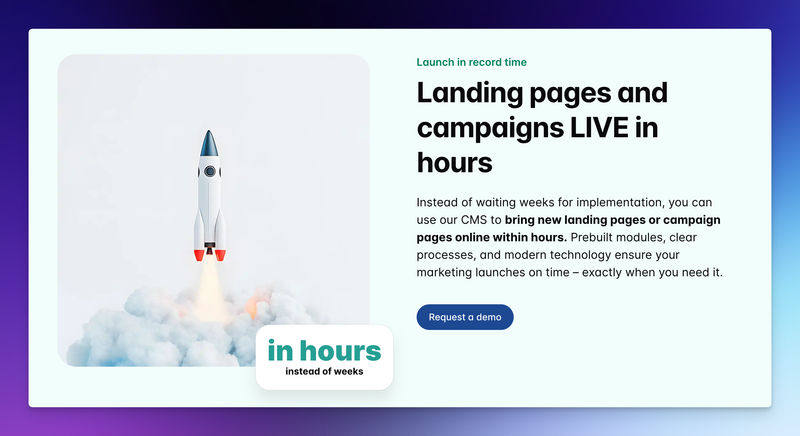
JET-CMS is a content management system built specifically for marketing teams in mid-sized companies who are tired of waiting on IT or agencies.
The model is simple. Developers (or the JET-CMS team) set up your site once with your branding and component library.
After that, your marketing team only edits data, which means text and images. The structure stays locked, so you cannot accidentally break the layout while updating a hero headline at 4pm.
Best for: In-house marketing teams of around 10 to 50 people at SaaS, B2B, agency, e-commerce, or service companies who want full autonomy over content without the WordPress maintenance tax.
Key features:
- Safe editing model. You change content, not code, so there is no fear of breaking the site
- AI-powered multilingual publishing that turns hours of translation work into minutes
- Custom corporate branding baked into the setup, not bolted on with a theme
- Dedicated server per customer on Vercel infrastructure for fast load times and traffic resilience
- EU-based data centers with GDPR-compliant storage
- Maintenance-free operation. No plugins to update, no security patches to chase
Pricing: Custom pricing tied to setup and ongoing service. JET-CMS positions itself as a managed product rather than a self-serve tool, so the cost includes initial branding implementation and infrastructure.
Honest take:
JET-CMS is opinionated, and that is the point. You do not get unlimited drag-and-drop freedom because that freedom is exactly what causes marketers to break things in WordPress and Webflow.
If you want to experiment with wild new layouts every week, this is not it.
If you want to ship campaigns and landing pages quickly, in multiple languages, without paying an agency or hiring a developer, the trade-off makes sense.
The European hosting and GDPR posture also matter more than most teams realize, especially in regulated industries.
WordPress
The default. WordPress still runs a huge slice of the web because it is open-source, flexible, and has a plugin for almost everything.
Best for: Teams with at least one technical person on call, blog-heavy content sites, and anyone willing to manage hosting, security, and updates themselves.
Key features:
- Massive plugin ecosystem
- Open-source and self-hostable
- A familiar editor used by millions of writers
- Strong SEO plugins like Yoast and Rank Math
Pricing: WordPress itself is free. Real costs come from hosting, premium themes, plugin subscriptions, and the inevitable developer or agency you will hire to fix things.
Honest take:
WordPress is powerful, but it is not built for marketing teams that lack technical support.
Plugin conflicts, security vulnerabilities, and update cycles turn into a part-time job.
WordPress has some notable drawbacks, including its add-on costs and ongoing maintenance requirements. Most non-technical teams either love it for the first six months or end up resenting it by year two.
Webflow
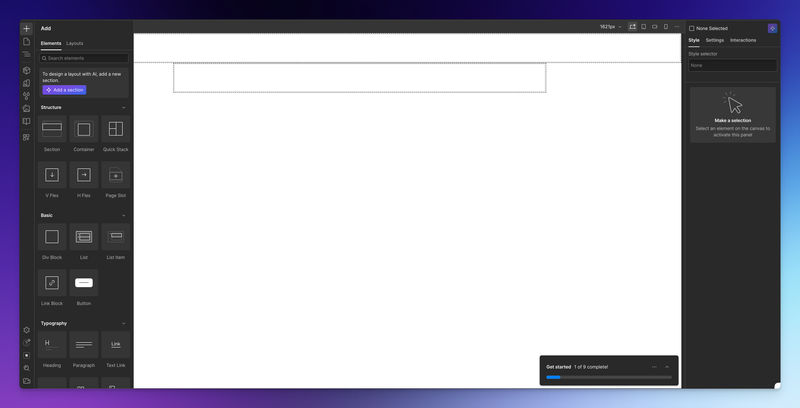
A visual website builder that gives designers pixel-level control through a visual canvas. Marketing teams often inherit a Webflow site built by a designer or agency.
Best for: Design-led marketing sites where the look and feel are central, and where someone on the team is comfortable with concepts like flexbox, classes, and combo classes.
Key features:
- Visual designer with strong CSS-style controls
- Built-in CMS Collections for dynamic content like case studies and blog posts
- Hosting and CDN included
- Editor mode for content updates by non-designers
Pricing: Webflow's CMS plan is around $23 per month, with the Business plan at $39 per month for higher-traffic marketing sites. Enterprise pricing is custom. Workspace seats add cost as your team grows.
Honest take:
Webflow is excellent if you have a designer who lives in it. For a pure marketer, the learning curve is real. The visual canvas looks intuitive, but punishes mistakes.
It is easy to accidentally adjust a global class and watch your layout shift across twenty pages. The Editor mode helps, but you are still tethered to whoever originally built the structure.
Framer
A newer player that started as a design tool and grew into a full website platform. Known for slick animations and a very designer-friendly canvas.
Best for: Brand and product marketing sites where motion and modern aesthetics matter, run by teams comfortable with design tools like Figma.
Key features:
- Real-time visual editing
- Strong animation and interaction primitives
- AI-assisted page generation
- Built-in hosting
Pricing: Plans range from a free tier to roughly $30 per month for Pro, with custom enterprise pricing.
Honest take:
Framer is gorgeous and fast to prototype with. For non-designers, though, the same problem as Webflow shows up: the freedom to move anything is also the freedom to break anything. Multilingual support and structured content workflows are still maturing compared to dedicated CMS platforms.
Storyblok
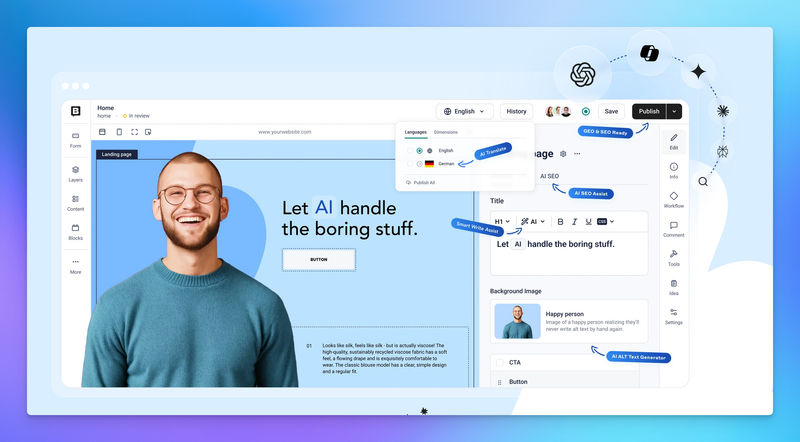
A headless CMS with a visual editor that bridges the gap between developer-first headless tools and marketer-friendly interfaces.
Best for: Marketing teams at companies that already have a custom front-end built with Next.js, Nuxt, or a similar framework, and who want visual editing on top.
Key features:
- Visual editor with drag-and-drop components and live preview
- Strong multilingual and localization support
- Component-based content modeling
- 99.99% uptime SLA on enterprise tiers
Pricing: Storyblok offers 4 pricing plans, starting at 99€ and ranging up to 349€, with custom enterprise pricing available. A free starter tier is available.
Honest take:
Storyblok is one of the better headless options for marketers, but "headless" still implies a developer somewhere set up the front-end. If you do not already have that infrastructure, Storyblok is not a tool you adopt without IT. It is excellent once it is running. Getting it running is the catch.
Prismic
Another headless CMS, focused on a "slice" model where developers build reusable components, and marketers assemble pages from them.
Best for: Marketing teams whose developers are willing to invest in the slice library upfront so the team can self-serve afterward.
Key features:
- Slice-based page building, letting non-technical teams assemble pages from reusable components without coding
- AI-powered landing page tools
- Visual page builder
- Strong Next.js integration
Pricing: Free tier available, paid plans scale with API usage and team size.
Honest take:
Prismic gets the conceptual model right for marketing autonomy. The catch is the same as Storyblok: someone technical has to build the slice library before marketers benefit. Once that work is done, day-to-day editing is genuinely smooth.
HubSpot CMS
A CMS built into the HubSpot marketing and CRM ecosystem. Pages, forms, CTAs, and contact data live in one place.
Best for: Teams already deep in HubSpot for marketing automation, especially in B2B SaaS.
Key features:
- Tight integration with HubSpot CRM and email
- Drag-and-drop page editor
- Built-in personalization and A/B testing
- Hosting and security handled
Pricing: CMS Hub starts at the Starter tier and scales up significantly at Professional and Enterprise levels.
Honest take:
HubSpot CMS is convenient if you already pay for the rest of HubSpot. As a standalone CMS, it is expensive and locks you into the ecosystem. The editor is friendly, but the design flexibility is limited compared to Webflow or a properly set-up headless stack.
FAQs
For a mid-sized site with 20 to 50 pages, a clean migration typically takes two to six weeks, depending on how custom the existing design is. Platforms like JET-CMS handle the heavier lifting during setup, so the marketing team only steps in for content review. Migrations from heavily customized WordPress sites take longer because of plugin dependencies that need to be replaced or removed.
SEO depends on page speed, clean HTML, structured data, and reliable uptime. Modern CMS platforms running on edge infrastructure (Vercel, Cloudflare) typically outperform aging WordPress installations on Core Web Vitals. The bigger SEO risk is a slow, plugin-heavy WordPress site that nobody has the time to optimize.