5 Best Website Management Tools Every Marketer Needs in 2026

Managing a website in 2026 is no longer about writing code. It's about speed, safety, SEO, and independence.
Most marketing teams today are stuck in one of these situations:
- Afraid to touch the website because something might break
- Waiting days (or weeks) for developers or agencies
- Using powerful tools that feel exhausting
- Shipping campaigns are slower than competitors
The right website management tool removes that friction.
We evaluated these platforms based on what marketing teams actually need:
- Speed of implementation
- Ease of use for non-technical users
- Performance and SEO capabilities
- Design flexibility within brand guidelines
- Total cost including hidden agency dependencies.
Here's what we found.
JET-CMS
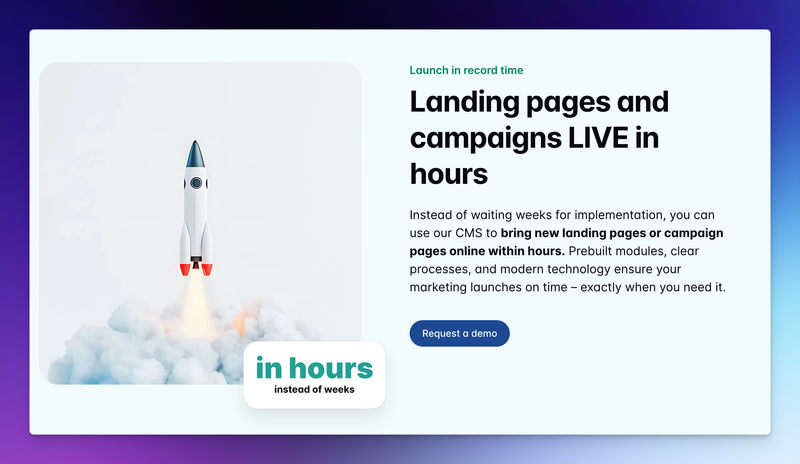
JET-CMS is built specifically for non-technical marketing teams. It separates structure from content completely.
Marketers only edit text and images, while layouts stay protected. This removes fear of breaking things and speeds up publishing.
Why marketers choose it
- No risk of breaking layouts
- No plugins, updates, or maintenance
- Fast publishing for campaigns
- Built-in SEO and performance
- AI-powered multilingual content
- Custom corporate branding system that maintains your design standards automatically
JET-CMS focuses on one thing: letting marketing teams work independently.
Quick Thoughts
It solves a very specific problem exceptionally well, giving marketing teams true independence. If you're constantly frustrated by IT bottlenecks or burning budget on agencies for simple page updates, this is exactly what you need.
WordPress
WordPress powers over 43% of the internet and remains the most widely used content management system globally.
Originally built as a blogging platform, it's grown into a full website management business solution through thousands of plugins and themes. It's open-source, infinitely customizable, and has a massive community.
It's best for businesses with technical resources or a budget for ongoing developer support.
What marketers like
- Flexible content creation
- Huge ecosystem of themes and plugins
- Complete ownership of your code and data
- E-commerce ready with WooCommerce
Where it struggles
- Easy to break layouts
- Ongoing maintenance and updates
- Often requires a developer or agency
Pricing
WordPress itself is free. Hosting ranges from $5/month (shared) to $500+/month (managed enterprise). Premium themes cost $30-$200. Essential plugins add $100-$500/year.
Total real cost: $500-$5,000+/year depending on complexity.
Quick Thoughts
WordPress is the Swiss Army knife of website management tools. It can do almost anything, but you'll need the right tools and skills to make it work. For marketers without technical backgrounds, maintaining websites can be challenging. You can also look into the best WordPress alternatives.
Framer
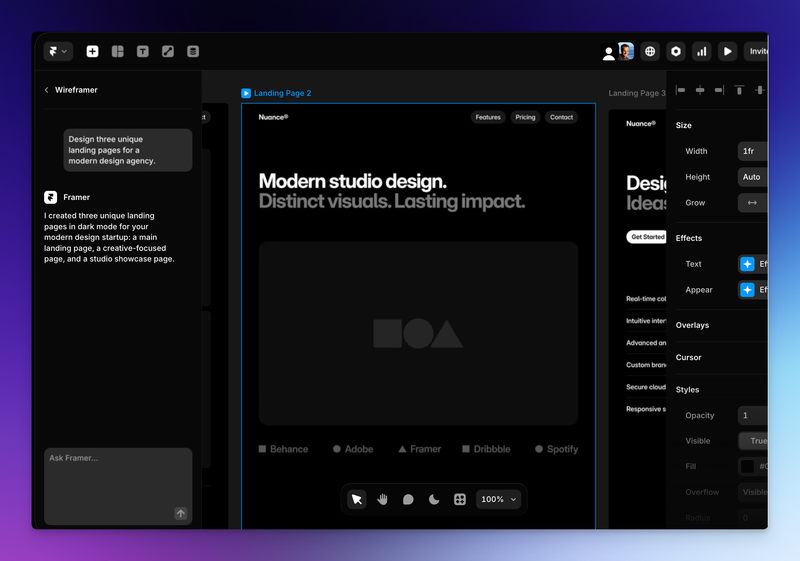
Framer started as a prototyping tool for designers and has since grown into a full website builder. It emphasizes speed, motion design, and AI features.
Framer targets teams who want modern, interactive websites without the complexity of traditional development.
It's excellent for quick landing pages and short-term campaigns. Once a site grows, however, managing content and structure becomes harder.
What marketers like
- Very fast setup
- Modern animations
Where it struggles
- Limited CMS depth
- Not ideal for long-term content management
Pricing
You can design for free for personal projects. To unlock advanced features:
- Basic: $10/mo
- Pro: $30/mo
- Scale: $100/mo
Quick Thoughts
Framer hits a sweet spot between simplicity and capability. You can build a professional landing page in 2-3 hours with minimal training. For simple website management needs, it's one of the quickest tools available. The trade-off is less control than Webflow and less scalability than enterprise platforms.
Webflow
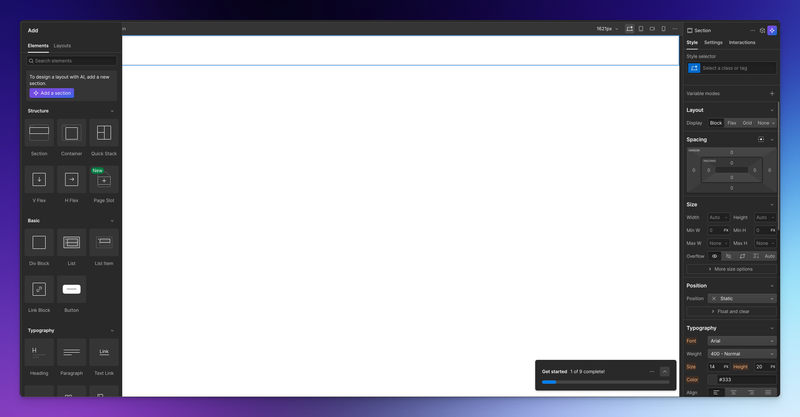
Webflow is popular with design-focused teams that want more visual control. It is a website builder that generates clean production code as you design.
It allows marketers to create beautiful layouts without writing code.
However, content editing still feels tied to design structure, which can slow down everyday updates.
What marketers like
- Strong visual design control
- Built-in hosting and performance
Where it struggles
- Deep learning curve
- Content edits can affect layouts
Webflow is powerful, but it favors designers more than content teams.
Pricing
Free plan for basic projects. Other plans are:
- Basic: $14/mo
- CMS: $23/mo
- Business: $39/mo
Quick Thoughts
Webflow is incredibly powerful if you have the time and inclination to master it. For marketers judged on speed and results, that's a significant investment. If you enjoy design, have patience for learning, and want long-term capability, Webflow is excellent. If you need to publish a campaign page tomorrow, look elsewhere.
Wix
Wix is a popular drag-and-drop website builder globally, serving over 250 million users.
It's designed for:
- Small businesses and solopreneurs with basic website needs
- Users with zero technical background who need something online quickly
- Budget-conscious businesses prioritize simplicity over customization.
What marketers like
- Very easy to use
- No technical setup required
Where it struggles
- Limited scalability
- Weaker SEO and performance for growing sites
- Less control over structured content
Pricing
You can create a free site with Wix Branding, but once you're ready for production, you'll need to upgrade to a paid plan.
- Light: $17/mo
- Core: $29/mo
- Business: $39/mo
- Business Elite: $159/mo
Quick Thoughts
Wix is effective for small businesses and simple websites, but it often serves as a temporary solution rather than a long-term website management option for serious marketing teams.
Final Words
Website management should not slow down marketing teams. In 2026, the best tools are those that remove fear, reduce dependency, and let teams ship faster without technical stress.
Start by identifying your primary frustration with your current setup. Then match that against what you've learned here. Most platforms offer free trials or demo versions. Test your actual workflow, not just the interface.
If your website still feels weak or complex to manage, the issue is likely the platform, not your team.
Turn your CMS into a growth engine – not a blocker
If every new landing page depends on plugins, developers and workarounds, it’s time to rethink your setup. With JET-CMS, marketing teams launch campaigns, multilingual pages and updates in hours instead of days – without plugin chaos or tech stress.

FAQs
Only if the CMS mixes content with layout or code.
Yes, but it often requires maintenance and technical support.
Content-only systems like JET-CMS offer the lowest risk.