6 Best Marketing Project Management Software for Non-Technical Managers (2026)

Most articles about marketing project management software are written from a tools-first perspective.
They assume your biggest problem is choosing the right features.
In reality, your biggest problem is keeping momentum.
As a non-technical marketing manager, you're usually juggling:
- Campaign launches that can't slip
- Stakeholders who want visibility but not complexity
- Designers, writers, and growth folks who all work differently
- A website that somehow becomes every project's dependency
You don't want another powerful platform.
You want something your team will actually use, without training sessions, broken workflows, or accidental process debt.
This list focuses on outcomes, not feature checklists.
These are the best marketing project management tools based on how real marketing teams operate, especially those who don't want to feel like part-time operations managers.
Let's get started.
Asana
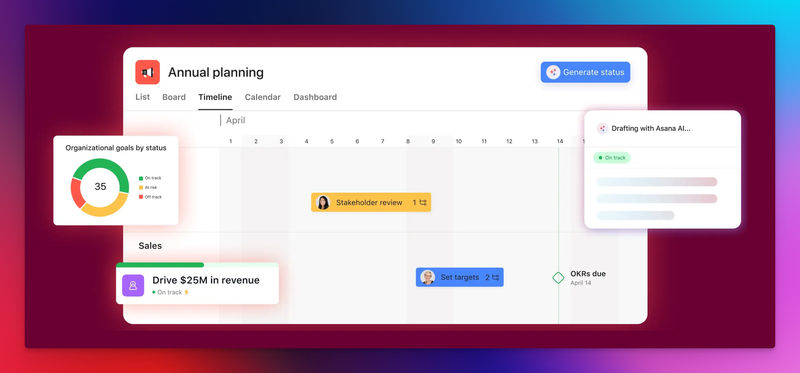
Asana is usually the first serious project management tool a growing marketing team adopts.
It's not flashy. It's not experimental. And that's exactly why it works.
Asana shines when marketing work follows repeatable patterns:
- Campaign planning
- Content production cycles
- Launch checklists
- Cross-functional coordination
The biggest win is clarity. Everyone knows what's happening, who owns what, and when things are due.
For managers, this reduces follow-ups and status meetings almost immediately.
Where Asana really earns its place:
- Clear task ownership (no more "I thought someone else was doing it")
- Timelines that make dependencies visible
- Campaign templates that reduce setup time
But Asana has a personality, and not every team likes it.
It encourages teams toward structure. If your marketing team relies on flexibility or works in fast, reactive bursts, Asana can start to feel like a gatekeeper rather than an enabler.
Common friction points:
- Initial setup matters more than expected
- Over-structuring slows creative work
- Feels operational rather than creative
Asana is ideal when consistency and predictability matter more than raw speed.
JET-CMS
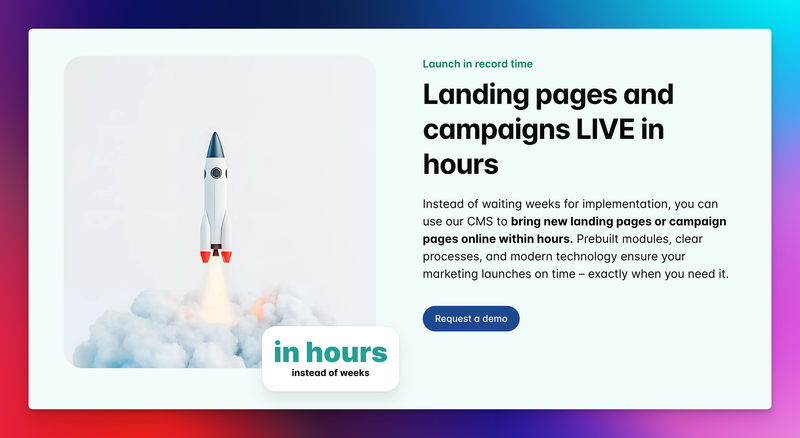
JET-CMS appears in conversations where traditional project management tools quietly fail.
Because a large part of marketing work isn't tasks, it's shipping changes to the website.
- Landing pages.
- Campaign updates.
- Localization.
- SEO content changes.
- Product messaging tweaks.
Most project management software treats the website as an external system.
It flips the model.
Instead of managing tickets about the website, marketing teams work directly inside a safe content system:
- Layouts are locked
- Components are predefined
- Branding rules are enforced automatically
This changes how work flows:
- No "can you deploy this?"
- No fear of breaking layouts
- No waiting on agencies for basic changes
It removes entire categories of work, approvals, fixes, and rollbacks by design.
Why marketing teams adopt it:
- Speed comes from changing content, not rebuilding pages
- Independence without technical risk
- SEO and performance are defaults, not plugins or checklists
JET-CMS isn't a task tracker. It's a workflow system for marketing teams whose output lives on the website.
ClickUp
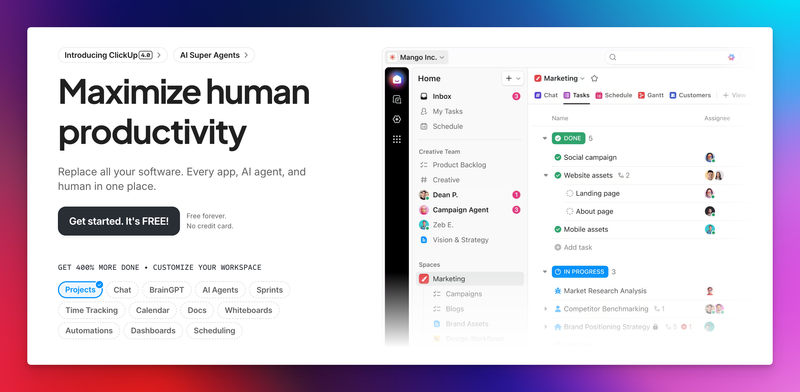
ClickUp is often described as "Asana on steroids."
That's accurate, and also the risk.
ClickUp is extremely flexible. You can model almost any marketing workflow: campaigns, content calendars, lead gen, experiments, and OKRs.
When it works well:
- Everything lives in one system
- Dashboards give managers deep visibility
- Custom fields allow detailed tracking
But flexibility cuts both ways.
For non-technical managers, ClickUp can feel overwhelming. There are many ways to build workflows, and many ways to build ones that nobody understands six months later.
Where teams struggle:
- Too many configuration decisions upfront
- Inconsistent usage across team members
- Requires internal "tool ownership" to stay clean
ClickUp works best when a team is willing to invest in system design, not just execution.
Trello
Trello remains popular because it respects people's time.
You open it. You understand it.
Cards move left to right. Progress is visible. Nothing needs explaining.
Trello works especially well for:
- Small marketing teams
- Lightweight campaign tracking
- Visual thinkers who hate process
It's often the fastest tool to adopt, and the quickest to outgrow.
As soon as marketing work becomes interconnected (dependencies, approvals, reporting), Trello starts bending in uncomfortable ways.
Common pain points:
- Hard to manage complex timelines
- Limited reporting for managers
- Boards turn messy under pressure
Trello is excellent until your marketing operation matures.
Monday
Monday is built with managers in mind.
If your main concern is:
- Knowing what's on track
- Seeing bottlenecks early
- Reporting upward clearly
Monday delivers.
It sits between Asana's structure and ClickUp's flexibility.
Marketing teams often appreciate its clean UI and automation options for recurring workflows.
Strengths that stand out:
- Strong dashboards for leadership
- Automations reduce manual updates
- Clear ownership and status tracking
Trade-offs:
- Less flexible for creative workflows
- Can feel rigid if setup choices are wrong
- Not content-first by default
Monday is ideal when visibility and accountability drive decisions.
Notion
Notion is where many marketing teams actually live, even if they don't call it project management software.
It excels at:
- Campaign planning
- Content strategy
- Documentation
- Knowledge sharing
Notion feels natural to marketers because it mirrors how they think, documents first, tasks second.
But that's also the limitation.
Execution often suffers because:
- Tasks lack urgency signals
- Ownership can be unclear
- Things fall through cracks quietly
It is powerful when paired with another execution tool. Alone, it's better for thinking than doing.
Final Words
Choosing the right marketing project management software comes down to alignment, not features.
Every marketing team works differently. Some need more structure, some need more flexibility, and some need tools that remove entire layers of work rather than manage them.
The mistake is forcing a tool onto a team rather than matching it to how work already flows.
The right software should reduce friction, speed up execution, and give marketing teams confidence to move without second-guessing.
When a tool fits your needs, it fades into the background, and that's usually the sign you chose well.
Turn your CMS into a growth engine – not a blocker
If every new landing page depends on plugins, developers and workarounds, it’s time to rethink your setup. With JET-CMS, marketing teams launch campaigns, multilingual pages and updates in hours instead of days – without plugin chaos or tech stress.

FAQs
Yes. Without it, work often spreads across emails, chats, docs, and spreadsheets, slowing execution and creating blind spots.
Most tools handle tasks well, but treat the website as an external resource. That's why many teams combine project management software with a content-focused system like JET-CMS.
It depends on how your team works. Many marketing teams move faster with fewer, well-aligned tools than with a complex system that tries to do everything.